I've been using Substack to publish my newsletter, Covered Calls with Reinis Fischer. Substack’s built-in analytics are quite decent for basic insights, but if you’re looking for more detailed data, I’ll walk you through the process of connecting Google Analytics to track its performance.
To install Google Analytics 4 (GA4) for your Substack newsletter and track its performance, follow these steps. This process involves setting up a Google Analytics account, obtaining a Measurement ID, and linking it to your Substack publication. Here’s how to do it:
- Create a Google Analytics Account
- Go to analytics.google.com and sign in with a Google account. If you don’t have one, create it.
- Click “Start measuring” or “Admin” (gear icon) if you already have an account, then select “Create Account.”
- Enter an account name (e.g., your publication name or brand). You can use this account for multiple properties if needed.
Set Up a Property for Your Substack
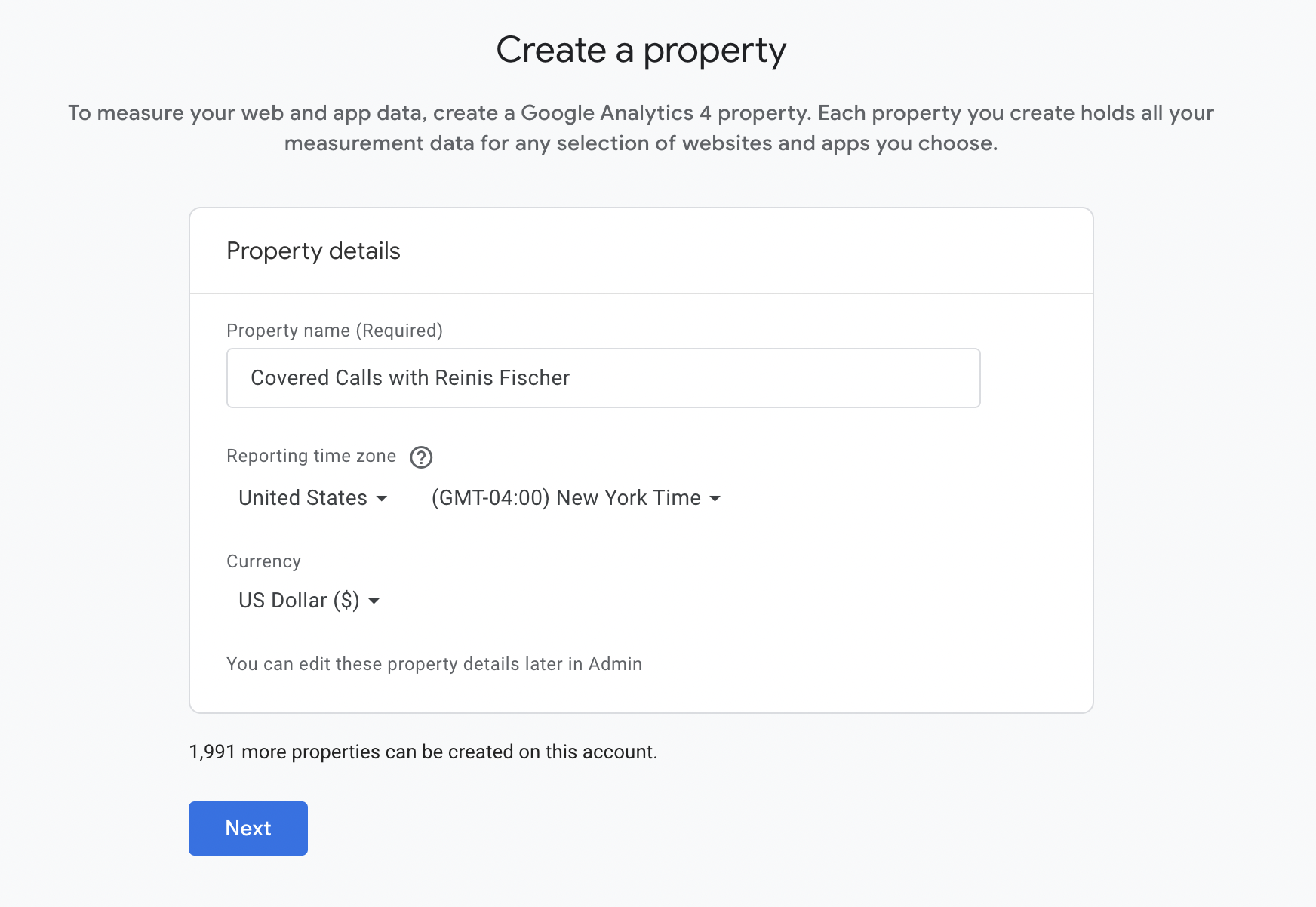
- After creating the account, click “Create Property.”
- Name the property (e.g., “Substack - [Your Newsletter Name]”).
- Select your time zone and currency, then click “Next.”
- For “Business Objectives,” choose an option like “Measure lead generation” (you can adjust this later). Click “Create.”
- Configure a Web Data Stream
- In the property setup, select “Web” as the platform.
- Enter your Substack URL (e.g., yournewsletter.substack.com). Ensure it’s just the main domain, without extra paths like /posts.
- Give the stream a name (e.g., “Substack Web Traffic”) and click “Create Stream.”
- You’ll see a “Measurement ID” starting with “G-” (e.g., G-XXXXXXXXXX). Copy this ID.
- Add the Measurement ID to Substack
- Log in to your Substack account and go to your publication’s Dashboard.
- Navigate to “Settings” and scroll to the “Analytics” section.
- Paste the Measurement ID into the “Google Analytics Measurement ID” field.
- Click “Save.”
- Verify the Setup
- Wait up to 24 hours for data to start appearing in Google Analytics.
- To check if it’s working, visit your Substack site, then go to Google Analytics > “Reports” > “Realtime.” If you see activity, the tracking is active.
Additional Tips
- What You’ll Track: Once connected, GA4 will track page views, sign-ups, and paid subscriptions automatically via Substack’s integration. Data appears in your GA4 dashboard under “Events.”
- Google Tag Manager (Optional): If you want more advanced tracking (e.g., custom events), you can use Google Tag Manager (GTM). Create a GTM container, add the GTM ID (e.g., GTM-XXXXX) to Substack’s “Google Tag Manager ID” field in the same Analytics section, and configure GA4 tags in GTM. However, for basic tracking, the Measurement ID alone is sufficient.
- Limitations: Substack’s integration doesn’t track email opens or clicks directly. For that, you’d need to link to a tracked website or use UTM parameters for external campaigns.
This setup leverages Substack’s built-in support for GA4, making it straightforward to monitor your newsletter’s web performance. If you run into issues, double-check your Measurement ID and ensure your Substack URL is correctly configured in the data stream. Let me know if you need help with any step!