I've been building a Translator Vendor Relationship Management (VRM) platform for our translation business - essentially an internal system for managing our translator network, from CV intake and testing through vendor profiles, rates, availability, communication and periodic profile updates.
One of the most important steps recently was getting email sending working directly from the system.
The idea is simple: instead of someone manually opening Gmail every time we need to contact a translator, the HR system should allow us to select a candidate, choose an email template, review the message and send it directly from the candidate profile. Every message is then recorded against that person.
It worked perfectly on my MacBook.
It didn't work on the production server.
The mysterious Gmail 535 error
The production server was using Gmail SMTP:
smtp.gmail.com
Port: 587
STARTTLS
with a Google App Password.
But Gmail kept returning:
535 5.7.8 Username and Password not accepted
At first this looked like a classic credentials problem. We regenerated the App Password, checked the Google Workspace account, verified the username and checked the environment configuration.
Nothing changed.
The interesting part was that the exact same credentials worked locally.
So we started stripping the problem down.
First: eliminate the application
We tested SMTP directly with Python rather than going through the HR application.
The server could connect to Gmail.
TLS worked.
The certificate was valid.
The SMTP server advertised the expected authentication mechanisms.
But authentication failed.
That told us the HR application's email implementation wasn't the problem.
Then we compared the two environments
With help from AI and the Hermes development agent, we compared the SMTP sessions rather than simply changing settings randomly.
Eventually we found the important difference.
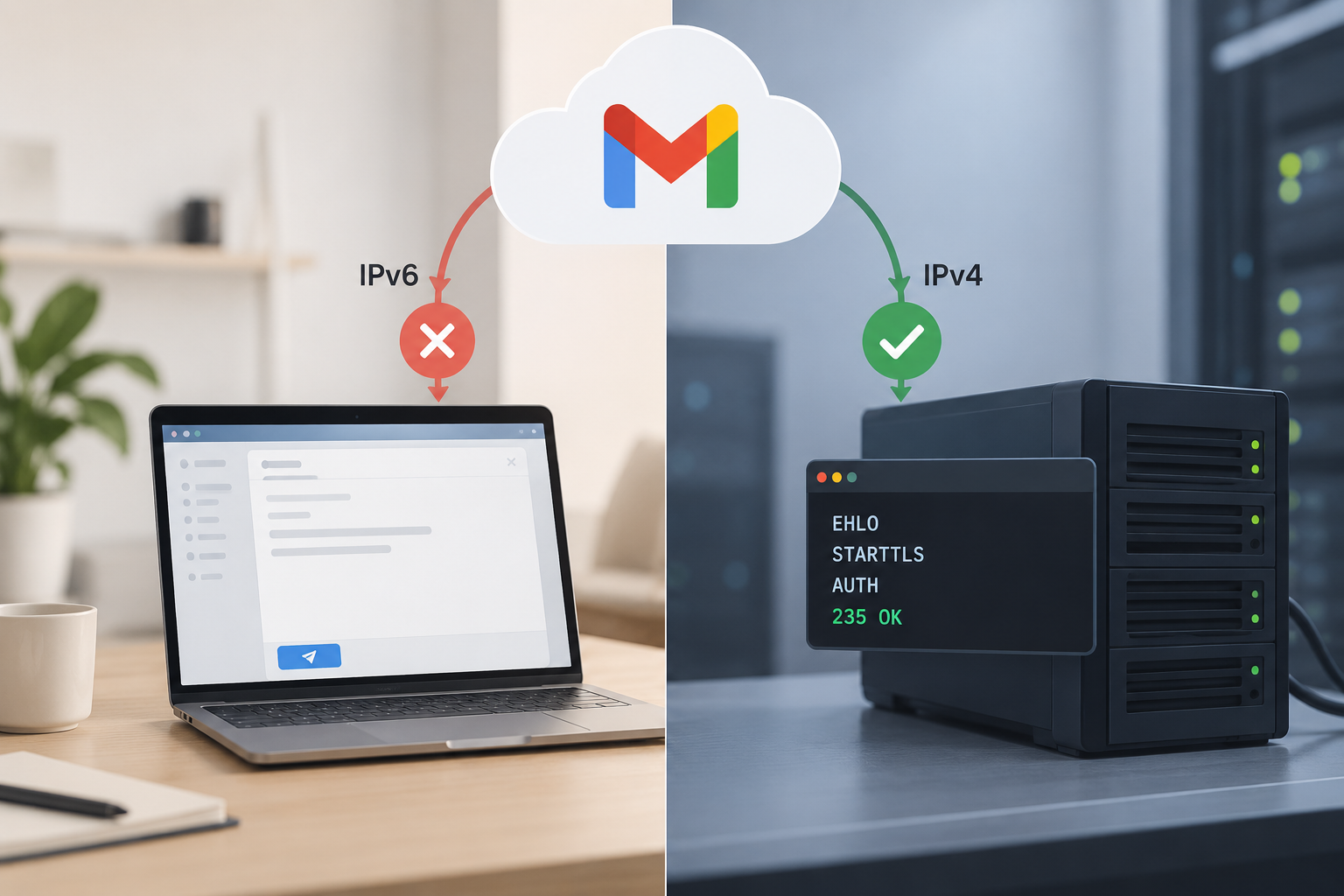
The production VPS resolved smtp.gmail.com to IPv6 by default.
And when we forced the SMTP connection over IPv6:
IPv6 → Gmail
AUTH PLAIN → 535
But when we forced the same connection over IPv4:
IPv4 → Gmail
AUTH PLAIN → 235
Same:
- Gmail account
- App Password
- SMTP hostname
- port
- STARTTLS
- TLS version
- cipher
- authentication mechanism
Only the network path was different.
That was the breakthrough.
IPv6 was the culprit
The production server was using an IPv6 address for the SMTP connection, and Gmail was rejecting authentication from that IPv6 connection context.
The server's IPv6 reverse DNS was also poor — it resolved essentially to a generic linux hostname — although we couldn't prove that this alone was responsible.
Interestingly, the server's IPv4 and IPv6 addresses belonged to the same hosting provider and ASN. So it wasn't simply a matter of "Gmail doesn't like this VPS."
It was specifically the IPv6 path.
Google's own documentation distinguishes various IPv6-related email problems and notes that IPv6 sending has additional authentication and PTR requirements, although our failure occurred earlier, during SMTP authentication rather than message delivery.
The fix
We didn't change Gmail.
We didn't change the password.
We didn't switch email providers.
We didn't disable IPv6 on the server.
Instead, we changed the SMTP connection in the application so that, when connecting to Gmail, it prefers an IPv4 address rather than leaving address-family selection entirely to the operating system.
That was enough.
The same credentials that produced:
535 5.7.8
over IPv6 produced:
235
over IPv4.
The HR system then successfully sent the email.
Why this was a useful debugging lesson
The interesting lesson wasn't really about Gmail.
It was about debugging distributed systems.
When something works on localhost but fails in production, it's tempting to immediately suspect:
- environment variables
- passwords
- firewall
- ports
- TLS
- application code
Sometimes that's correct.
But in this case every one of those things was fine.
The key was to compare the two environments at the protocol level.
The sequence ended up being:
Application
    ↓
SMTP configuration
    ↓
TCP connection
    ↓
TLS
    ↓
SMTP AUTH
    ↓
IPv6 ❌ / IPv4 ✅
Once we tested each layer independently, the problem became much smaller.
What we're building next
Email is not an isolated feature in the HR platform.
The longer-term workflow is something like:
Translator database
        ↓
Filter by role/language/test/etc.
        ↓
Select translator
        ↓
Email template
        ↓
Send
        ↓
Communication history
        ↓
last contacted
        ↓
Vendor profile update
For example, our HR manager might eventually open Vendor Management and filter:
Georgian translators who haven't been contacted for 90 days and whose profiles are missing rates or availability.
She can then contact them individually, while the system keeps the communication history automatically.
That is the part I find more interesting than simply "adding an email button."
We're gradually turning what used to be spreadsheets, CV folders and scattered emails into a Translator Vendor Relationship Management system.
And today's SMTP problem was a good reminder that sometimes the hardest bugs aren't in the application at all.
Sometimes they're hiding between IPv4 and IPv6.
Technical reference
For Gmail SMTP, Google documents smtp.gmail.com as the authenticated SMTP server and provides guidance on SMTP authentication and error codes.
Python's smtplib ultimately relies on normal socket address resolution when connecting to a hostname; without restricting the address family, the operating system can select among available IPv4/IPv6 addresses.
The practical debugging lesson from this incident:
If SMTP authentication works locally but returns 535 5.7.8 in production, don't assume the password is wrong. Compare the actual network path — including IPv4 vs IPv6 — before replacing credentials or redesigning the mail system.