To get started, you'll need to download both the ClickHeat module and library. Simply extract the module to the sites/all/modules directory and the library to the sites/all/libraries directory.
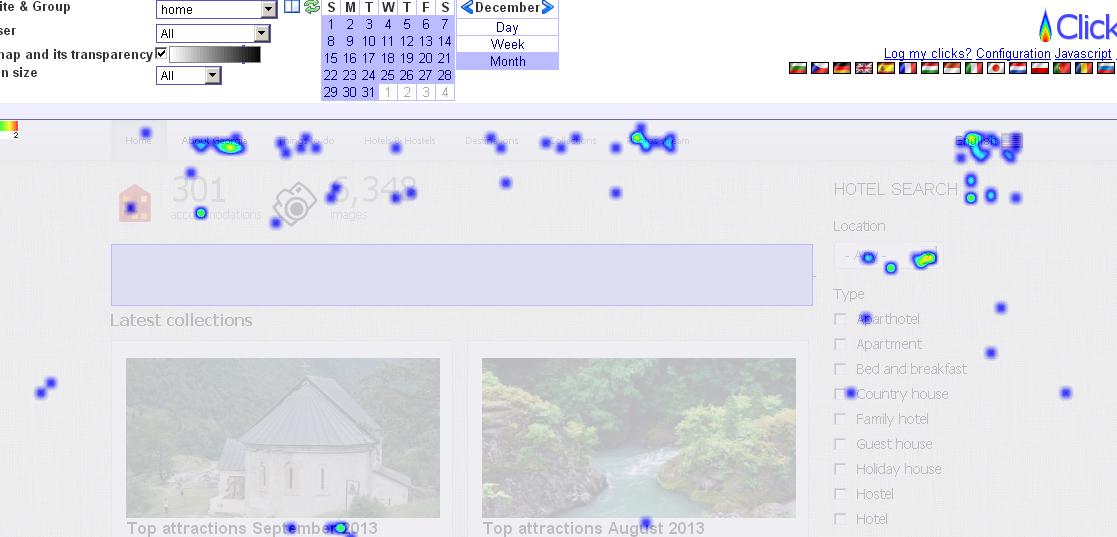
Next, follow the simple installation instructions:
- Download the latest ClickHeat release from http://www.labsmedia.com/clickheat
- Extract the library and place it in the sites/all/libraries directory. The click.php file should be located at sites/all/libraries/clickheat/click.php.
- Make sure the server has write access to the sites/all/libraries/clickheat/config, cache, and logs directories.
- Enable the module and configure it at admin/config/system/click_heatmap.
- Grant the 'ignore click_heatmap clicks' permission to the roles you want to exclude from the heatmaps (usually administrators).
And that's it! With the Click Heat Map for Drupal, you'll have a better understanding of your site visitor's behavior and be able to make informed design decisions